










Are you organizing a giveaway for a corporate event, customer campaign, or special occasion? If you already have an Excel file containing your participants' names, selecting winners is easier than you might think!
Running a giveaway from an Excel list allows you to randomly select winners from an existing list without entering participants one by one or manually choosing names.
The best part? You don't need complicated Excel formulas or technical knowledge. With the Simpliers Online Random Selector, you can upload your participant list, customize your giveaway, and easily select your winners.
So, how can you run an online giveaway using an Excel list? And what types of events can benefit from a list-based giveaway? Let's take a closer look.
What Is a List Giveaway?
A list giveaway is a method of randomly selecting winners from a pre-prepared list of names or participants.
Unlike social media giveaways, participants don't need to comment on a specific post or even have a social media account. All you need is a list of eligible participants.
For example, you can randomly select winners from company employees, people registered for an event, or customers who participated in a promotional campaign.
This method offers a practical solution, especially for businesses and event organizers who manage participant information in Excel files.
How to Run an Online Giveaway from an Excel List
You can use the Simpliers Online Random Selector to organize an online giveaway with your existing participant list. Here's how to create a list giveaway step by step:
1. Prepare Your Participant List
First, create a list containing the names of everyone eligible to participate in your giveaway.
You can prepare your list in Excel or use an existing file. At this stage, make sure all participants are listed correctly and meet the giveaway requirements.
For example, if you're organizing an internal company giveaway, you can list your employees' names. If you're running a customer campaign, you can include the customers who participated in the promotion.
2. Add Your List to Simpliers
👉🏻 Open the Simpliers Online Random Selector.
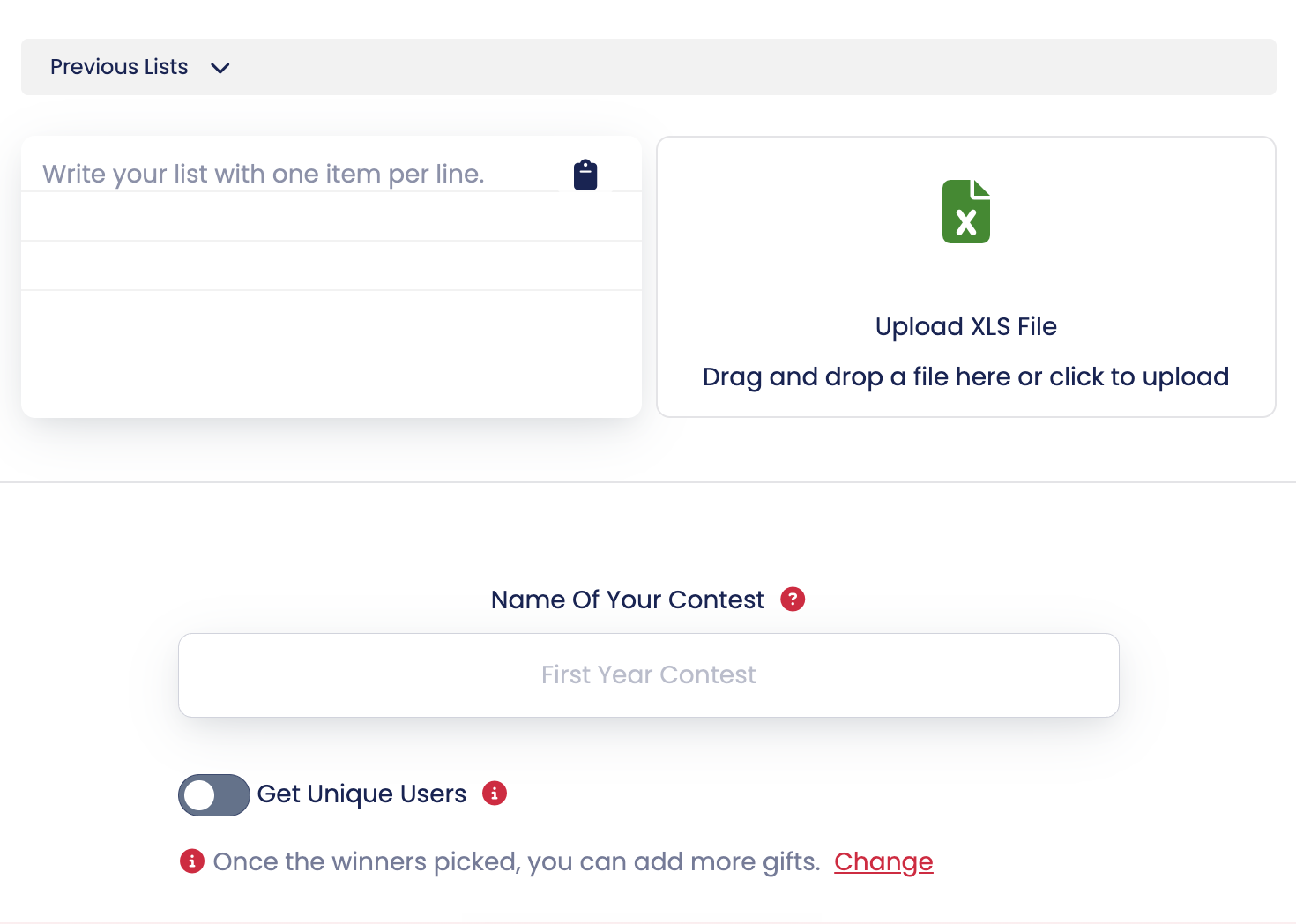
You can add your participants in two different ways:
- Upload an Excel file: Upload your participant list in XLS format.
- Paste your list: Copy and paste your participants' names directly into the designated field, with one name per line.
This way, you won't have to enter every participant manually.
3. Customize Your Giveaway
Simpliers also allows you to customize your giveaway screen to match your brand or event.
✅ You can give your giveaway a name, add your company's logo, and customize the screen colors to reflect your brand identity.
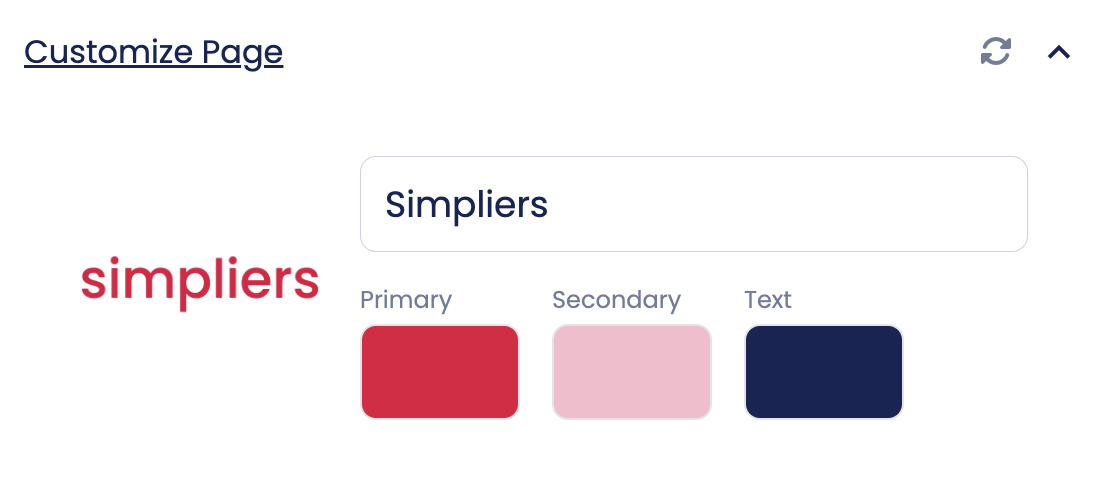
This feature is especially useful for corporate events, year-end celebrations, and live giveaway draws, helping you create a more professional and consistent presentation.
4. Set Your Winners and Prizes
Choose how many winners and substitute winners you want to select.
If you're planning to give away multiple prizes, you can also add them to your giveaway.
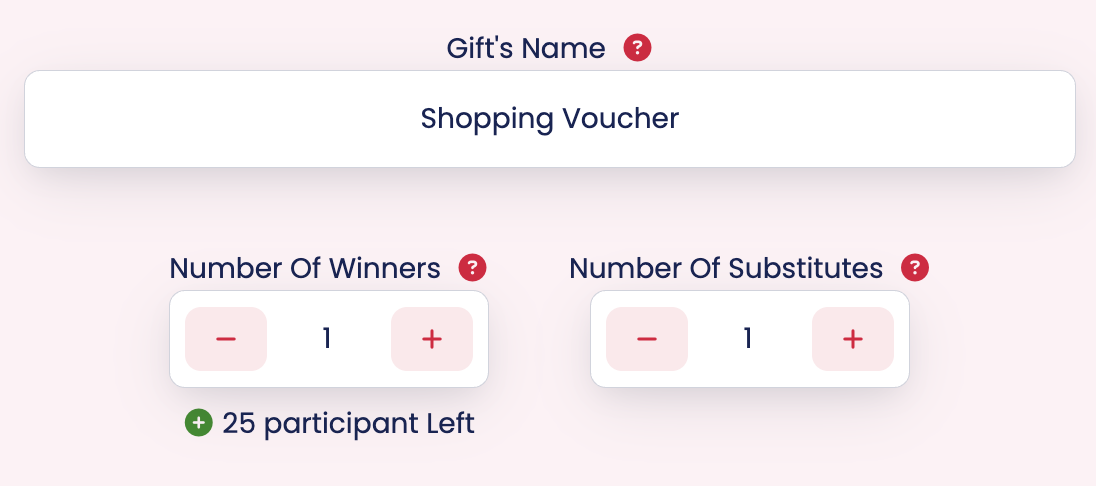
For example, if you're organizing a company event and planning to give gift cards to three employees, tech products to two employees, and an extra day off to one employee, you can organize your giveaway based on these prizes.
5. Start Your Giveaway and Select Winners
Once you've completed your settings, you're ready to start your giveaway.
After your selected countdown, random winners will be chosen from your participant list and displayed on the screen.
Whether you're organizing a small giveaway among friends or an event with hundreds of participants, Simpliers makes the process simple and convenient.
Where Can You Use a List Giveaway?
List giveaways aren't limited to social media campaigns. They can be used for many different occasions where you already have a prepared participant list.
Corporate Giveaways and Employee Events
Companies can use list giveaways for year-end celebrations, company anniversaries, employee appreciation events, and other special occasions. For example, during your company's year-end celebration, you can randomly select employees to receive gift cards, tech gadgets, or other surprise prizes.
Customer Campaigns and Brand Giveaways
Brands can use list giveaways to select winners from customers who have participated in a particular campaign or met specific giveaway requirements. For example, an e-commerce brand can create a list of customers who joined a special promotion and randomly select prize winners from that list.
Trade Shows, Conferences, and Events
Online list giveaways are also a great way to surprise attendees at trade shows, seminars, conferences, and workshops. By using your event registration list, you can run a giveaway during the event and announce the winners directly on the screen.
Schools and Educational Organizations
Random selections can also be made from prepared lists for school events, student clubs, educational programs, and other academic activities.
Personal Giveaways and Special Occasions
You don't need to be a company or a brand to organize a list giveaway! Whether you're planning a celebration with friends, a private gathering, or a community event, you can randomly select winners from your own list of names.
Benefits of Running a List Giveaway
Running an online giveaway from an Excel list makes the process much easier, especially when you're working with a large number of participants.
- Suitable for different occasions: From corporate events to personal giveaways, list giveaways can be used in many different settings. They're especially convenient for employee gift giveaways during the holiday season and year-end celebrations.
- Saves time: Instead of manually selecting participants, you can quickly run a giveaway using your existing list.
- Ensures random selection: Winners are randomly selected from your designated participant list.
- Offers customization options: Create a giveaway screen that matches your event by adding your logo, choosing colors, and setting a giveaway name.
- Supports multiple winners: Adjust the number of winners and substitute winners based on your giveaway requirements.
Easily Run an Excel List Giveaway with Simpliers!
Whether you're surprising your employees with gifts or organizing a promotional campaign for your customers, you don't need complicated methods to run a giveaway using an existing list.
With the Simpliers Online Random Selector, you can upload your Excel list, customize your giveaway screen, and randomly select your winners. If your participant list is ready, it's time to pick your winners!
👉 Start your free online list giveaway with Simpliers!